


Phone Tracker Locator With GPS
4.112.00 Reviews
App Specs
- Version
- 1.2.2_09072026
- Updated On
- License
- Free
- Downloads
- 100,000+
- Developer
- Avn Global Application
- Categories
- Maps & Navigation
- Platform
- Android
Screenshots
 Analysis by AppCompare
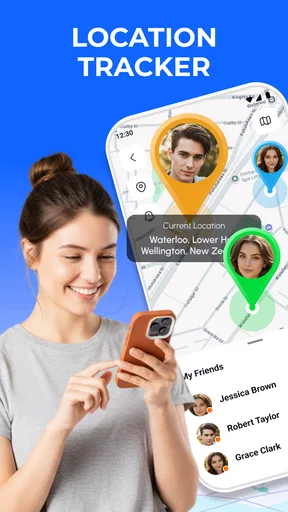
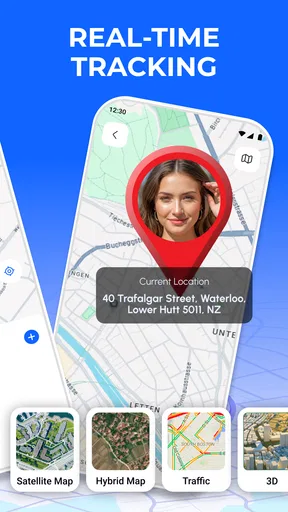
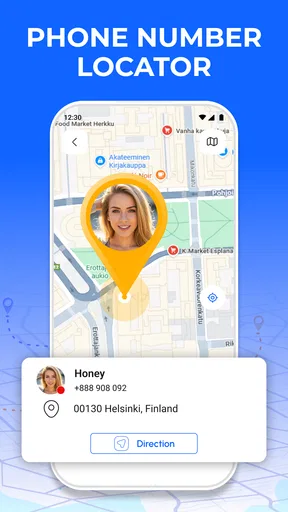
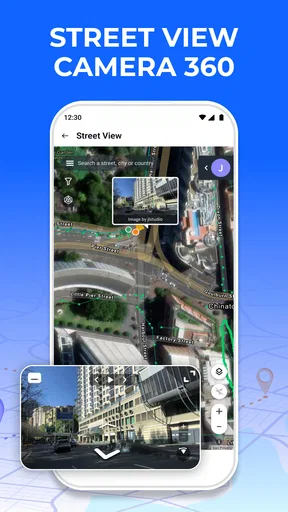
I spent time with Phone Tracker Locator With GPS as a location-focused app, and my first impression was that its usefulness depends less on flashy map browsing and more on whether the people using it stay connected when they need one another. Its purpose is straightforward: help users keep track of real-time locations and receive smart alerts while giving privacy a visible place in the experience. That combination makes it relevant for families, couples, caregivers, and small groups who want a simpler way to coordinate movement.
The app sits in the Maps & Navigation category and is developed by Avn Global Application. It is free to install, with optional in-app purchases ranging from $5.99 to $49.99 per item. The basic cost makes it easy to try without committing immediately, although anyone considering paid options should check what each purchase adds before spending money. I also appreciate that the content rating is Everyone, which makes the app approachable for a broad audience, though responsible use still matters because location sharing is personal by nature.
How Phone Tracker Locator With GPS feels in everyday use
The central experience is built around staying connected through location information. That sounds simple, but the practical value appears in small moments: checking whether someone has arrived, noticing that a family member is still moving, or using an alert to avoid sending repeated messages. I found that the app makes the most sense when everyone involved agrees on why location sharing is useful and when it should happen.
A realistic example would be a parent coordinating an evening pickup. Instead of asking for a new message every few minutes, the parent can use the location view and alerts as a shared point of reference. The benefit is not merely seeing a dot on a map; it is reducing uncertainty while someone is travelling. The same workflow can help housemates waiting for groceries, partners coordinating a meeting point, or caregivers checking that a relative has reached an expected place.
That convenience comes with an important condition: a location app is only as dependable as the connection between the phone, the location service, and the people checking the information. If a user enters an underground station, loses mobile coverage, restricts background activity, or has a nearly empty battery, the map may not reflect the person’s current movement immediately. I would treat the displayed position as useful guidance rather than an unquestionable live guarantee.
Real-time location is most useful when expectations are clear
The phrase “real-time” can encourage unrealistic expectations. In my experience, the most sensible way to use this kind of tool is to agree on what the location means. Is it being used for a quick arrival check, a longer journey, or an alert when someone reaches a familiar destination? Defining that beforehand prevents a family member from interpreting a delayed update as an emergency.
I would also avoid using the map as a substitute for direct communication in situations that genuinely require confirmation. A location view can show where a phone appears to be, but it cannot explain why the person stopped, whether they are safe, or whether the phone is being carried by its owner. That distinction is easy to overlook when the interface feels reassuring.
Worth Reading Before You Choose

EA SPORTS FC Mobile 26 Is a Bigger Football Game, but It Takes Time

Flipboard Shows What News Apps Must Do Beyond the Feed

Switching to Android Auto Means Rethinking Your Driving Routine

Google Calendar Makes a Crowded Week Easier to Manage

Ludo King Makes the Most of the Minutes Between Plans

Baby Panda World Brings Quick Play to Modern Phones, but Its Game Library Feels Busy
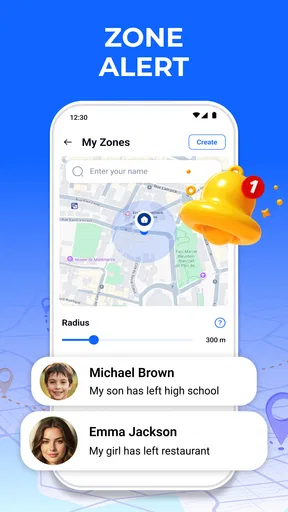
Smart alerts are potentially the most practical part of the app because they can reduce the need to watch the map continuously. Instead of repeatedly opening the app, users can rely on a notification when a relevant movement or arrival condition occurs. The trade-off is that alerts need thoughtful setup. Too many notifications quickly become background noise, while overly narrow expectations can make the system less useful during an unpredictable trip.
Using it while moving between places
Phone Tracker Locator With GPS is better suited to active coordination than to casual map exploration. I see its strongest role during commutes, school pickups, group outings, and journeys where several people need a shared sense of progress. A user who only wants directions may be happier with a conventional navigation app, while someone who wants to understand where another person is may find this more relevant.
On a busy day, I would use it before leaving rather than waiting until a problem appears. First, I would make sure the people who need to participate understand the sharing arrangement. Then I would decide which alerts are genuinely useful, such as an arrival-related notification, instead of enabling every possible update. Finally, I would check that the phone has enough battery and a working connection. This preparation is not glamorous, but it is what turns a location tool into a dependable routine.
One non-obvious advantage of this approach is that it can make communication quieter. When everyone can check the same location context, there may be fewer “Where are you now?” messages. That is especially helpful when someone is driving, carrying bags, supervising children, or working in a place where constant replies are inconvenient. Still, the app should never encourage someone to interact with a phone while driving; the person travelling should remain focused on the road.
What happens when the connection becomes unreliable
Connectivity is the experience’s pressure point. A fresh position requires the phone to communicate, and a person checking the map also needs access to current information. In a strong network environment, the experience can feel immediate. In a weak one, the user may see an older position or wait longer for an alert. That does not necessarily mean the app has failed, but it does mean the information needs context.
I would build a simple recovery habit around this. If a location appears unchanged for an unusually long time, I would avoid assuming that the person is still standing there. I would first try refreshing the view, then contact the person directly if the situation matters. If they cannot respond, I would consider ordinary safety procedures rather than relying on a map alone. This is a small but important distinction between a helpful coordination tool and a false sense of certainty.
Battery problems create a similar complication. A phone that powers down cannot continue providing useful location information. People who use the app for long journeys should carry a charger or power bank, especially when travelling away from familiar places. That is not a special weakness unique to this app; it is a basic limitation of phone-based tracking that users should plan for.
Another practical issue is notification timing. A delayed alert can be less useful than a delayed map update if the user is depending on it for a meeting or pickup. I would therefore use alerts as a convenience layer and keep a backup communication method available. For a routine school run, that may simply mean calling if the expected arrival passes. For a vulnerable person or an unfamiliar journey, the backup plan should be more deliberate.
Privacy should shape the setup, not just the settings screen
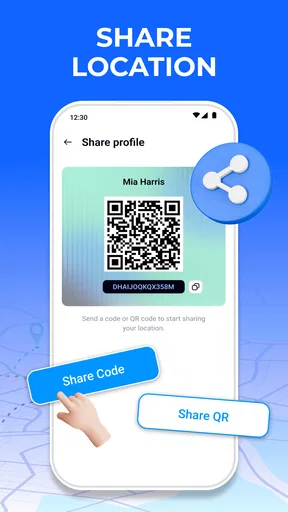
The app’s emphasis on privacy is welcome because location sharing can easily become uncomfortable when it is vague or one-sided. I would only use it with people who understand what is being shared and why. A good arrangement should include a clear conversation about when tracking is appropriate, who can see it, and when sharing should stop.
A useful habit is to review the sharing relationship whenever circumstances change. A temporary trip, a family visit, or a group event may justify location coordination for a limited period, but that does not mean the same arrangement should continue indefinitely. Users should avoid treating permanent visibility as the default simply because it is convenient.
I also recommend keeping the group small. The more people who can see a person’s movements, the harder it becomes to maintain a clear understanding of access. Phone Tracker Locator With GPS is most sensible when its location features support a specific relationship or task rather than becoming an open-ended audience for someone’s daily routine.
Privacy also affects how alerts should be used. A notification that appears on a shared or unlocked device could reveal someone’s movements to a person who was not meant to receive that information. Users should think about where alerts might appear and whether the phone itself is protected. The app can support a privacy-conscious workflow, but it cannot replace careful device habits and mutual consent.
Who will get the most from this app?
I think the best audience is people who need lightweight coordination rather than professional fleet management or emergency-grade monitoring. Families checking arrivals, partners meeting across a busy city, friends travelling together, and caregivers who want a shared location reference are all plausible fits. The free entry point also makes it reasonable for a small group to test whether location sharing actually improves their routine.
It may also help people who dislike constant messaging. Someone who is often in transit can share useful context without composing a long update each time. A caregiver may appreciate an alert-based workflow more than manually requesting status messages. A group on an outing can use the map to reunite when members spread out, provided everyone has agreed to participate.
The app is less suitable for users who expect exact, uninterrupted tracking under every condition. It is also not the right choice for secretly monitoring another person, settling arguments about where someone “should” be, or replacing a formal safety service. Location tools work best when they support trust and practical coordination; they become harmful when used as a control mechanism.
How it compares with familiar alternatives
Compared with ordinary messaging, this app offers a more visual way to share movement and may reduce repeated status questions. Messaging remains better when the important information is an explanation, a change of plan, or an urgent instruction. I would use the tracker for context and messages or calls for meaning.
Compared with a standard navigation app, Phone Tracker Locator With GPS is aimed more at people than routes. Navigation apps are usually the better choice when the main problem is finding the fastest path, understanding traffic, or following turn-by-turn directions. This app becomes more relevant when the question is where another connected person is and whether an alert should draw attention to a change.
Compared with built-in phone location-sharing tools, the choice comes down to workflow and familiarity. Some users may prefer tools already integrated into their phones, especially if their group uses the same platform. Others may prefer a dedicated app that keeps the tracking purpose separate from general device services. I would choose based on which option the whole group can understand and use consistently, not simply on the number of features.
There is also a difference between this kind of personal tracker and professional monitoring software. A business managing vehicles, deliveries, or staff may need reporting, administration, and controls designed for that environment. This app feels more appropriate for personal coordination, where the relationship and consent between users are central.
Version, access, and the decision to pay
The current version is 1.2.2_09072026, and the app supports devices running Android 7.0 or newer. That makes it accessible to many older Android phones, although the practical experience can still vary with battery condition, network quality, and the phone’s handling of background activity. Before relying on it for an important routine, I would test it on the actual devices the group plans to use.
The app is free, but optional purchases cost between $5.99 and $49.99 per item. I would not pay immediately just because tracking sounds useful. First, I would use the free experience long enough to answer practical questions: Do updates arrive when expected? Are alerts understandable? Does the group actually check the location instead of reverting to messages? If the free workflow solves the problem, there may be no reason to spend more.
If a paid feature becomes attractive, I would evaluate it against a specific need rather than buying for vague reassurance. A purchase should make the daily workflow clearer or more convenient, not encourage users to monitor one another more intensely. This is particularly important with location products, where extra access can feel valuable while also increasing privacy responsibilities.
Small habits that make the experience better
My first tip is to create an agreed check-in rule for uncertain moments. For example, if an expected arrival passes and the position has not changed, the next step should be a message or call rather than repeated map refreshing. This prevents the app from becoming a source of anxiety and gives everyone a shared response when connectivity behaves unpredictably.
My second tip is to use alerts sparingly and name the purpose mentally before enabling them. An alert for a meaningful arrival can save attention; a stream of minor movement notifications can make users ignore the one that matters. The best setup is usually the one that helps people look less often, not the one that produces the most activity.
My third tip is to separate routine coordination from exceptional safety situations. For a normal commute, the app can reduce unnecessary messages. For a serious concern, users should combine it with direct contact and appropriate local help. A map is evidence about a phone’s location, not a complete account of a person’s condition.
My fourth tip is to review participation after the event that justified it. If a group used the app for a trip, everyone should decide whether continued sharing is still useful. This keeps privacy expectations clear and prevents temporary convenience from quietly becoming permanent tracking.
My connectivity verdict
Phone Tracker Locator With GPS is a sensible choice for people who want a dedicated way to coordinate locations, alerts, and privacy-minded sharing in everyday situations. I like its strongest use case: reducing uncertainty during trips and arrivals without demanding constant messages. The free starting point, Everyone rating, broad Android compatibility, and established presence of over one hundred thousand installs make it approachable for a trial.
Its limitations are just as important. The experience depends on connected phones, sensible alert setup, available battery, and honest communication between users. A delayed update can mislead someone who expects perfect immediacy, and no location view can replace a call when safety is genuinely in question. Users who need navigation, professional tracking, or highly formal emergency monitoring should look toward tools designed specifically for those jobs.
I would recommend it to a family or small group that can agree on boundaries and wants a quieter alternative to constant status messages. I would skip it if the intended use involves secret surveillance, uninterrupted certainty, or a replacement for direct contact. Used with realistic expectations, Phone Tracker Locator With GPS can be a practical companion for connected daily routines, especially when users treat privacy and recovery planning as part of the setup rather than afterthoughts.
Pros
- Real-time location sharing helps coordinate meetups and family check-ins.
- Location history can make recurring routes easier to review.
- Useful for finding a misplaced phone when location services are enabled.
- Simple map-based interface is accessible for most users.
- Can provide reassurance during travel or outdoor activities.
Cons
- Accurate tracking depends on GPS
- mobile data
- and a charged device.
- Continuous location access may noticeably reduce battery life.
- Privacy concerns arise when location is shared with other people.
- Indoor and underground locations may be estimated inaccurately.
- Some features may require subscriptions or in-app purchases.
FAQs for Phone Tracker Locator With GPS
How does Phone Tracker Locator With GPS work?
Phone Tracker Locator With GPS uses your device’s location services, including GPS, Wi-Fi, and mobile networks, to estimate and display a phone’s position on a map. After installation, you generally need to allow location access and complete any required setup. Location accuracy can vary depending on signal strength, indoor conditions, battery settings, and whether the phone has an active internet connection.
Can I track another person’s phone without their permission?
No. Responsible location tracking should always be based on clear consent from the person being located. The app may require installation, account linking, invitations, or permission settings on the other device before location sharing works. Attempting to monitor someone secretly can violate privacy laws, platform rules, and personal boundaries, so the application should be used only for legitimate purposes such as family safety, finding your own device, or coordinating with consenting users.
Does the app track a phone when GPS or internet access is turned off?
Tracking may be limited or unavailable when GPS, location permissions, mobile data, or Wi-Fi are disabled. In some situations, the app can show the last recorded location rather than a current position, but this depends on its features and device settings. Battery-saving modes, background restrictions, poor reception, airplane mode, or force-closing the app can also prevent timely updates and make the displayed location outdated.
Is Phone Tracker Locator With GPS accurate and suitable for emergencies?
The app can be useful for everyday location sharing, family coordination, or finding a misplaced phone, but it should not be treated as a guaranteed emergency service. Accuracy may range from a few meters outdoors to considerably less precise indoors or in crowded areas. For urgent situations, contact local emergency services directly. Before relying on the app, test its location updates, notification behavior, and permissions on your devices.
What permissions and privacy considerations should I check before downloading?
Before installing, review the app’s requested permissions and privacy policy carefully. Location access may be needed while the app is in use or in the background, and some features may request notifications, network access, or account information. Check how location data is stored, shared, and deleted, whether advertising or analytics are included, and how to stop tracking. Download only from an official store and avoid granting permissions unrelated to the app’s purpose.


